


Draw Anime - AR Drawing Sketch
4.4559.00 Reviews
App Specs
- Version
- 1.3.9
- Updated On
- License
- Free
- Downloads
- 5,000,000+
- Developer
- LOGICLABS LIMITED
- Categories
- Art & Design
- Platform
- Android
Screenshots
 Analysis by AppCompare
I find it easiest to judge a drawing app by the moment a beginner gets stuck: the blank page, a face that looks oddly tilted, or the uncertainty about what to draw next. Draw Anime - AR Drawing Sketch is built around making that first step feel less intimidating. It combines guided anime drawing with an augmented-reality tracing approach, so it may suit someone who learns by watching and copying more readily than by reading a long explanation.
That focus also sets expectations. This is an art-and-design app for practicing anime-style drawing, not a replacement for a full digital illustration studio. I’d consider it when the goal is to get a sketch onto paper and build confidence through repetition. If you already have a settled drawing process and want detailed control over digital layers, brushes, and finished artwork, a conventional drawing app is likely a better fit.
Readable guidance, with a hands-on route into drawing
The app’s central idea is straightforward: use a reference as a guide while you draw, rather than expecting a beginner to invent every shape from memory. That can be especially helpful when proportions feel difficult. A learner can concentrate on following the outline and noticing how an anime face or figure is put together, instead of trying to solve composition, anatomy, and style all at once.
For a useful practice session, I’d treat the reference as a starting scaffold rather than a finished answer. Trace the main shapes once, then try the same subject again with less reliance on the guide. The first pass can help your hand understand the broad contours; the second gives you a chance to remember what you saw. That small change makes tracing more educational and less like simply copying a picture.
Who is likely to enjoy this approach?
I can see this working well for a young learner, a casual anime fan, or an adult who has wanted to draw characters but never knew how to begin. The Everyone content rating makes the audience broad, and the free price removes the need to make a purchase just to try the basic idea. LOGICLABS LIMITED is the developer, and the app has reached over a million installs, with an average rating of 3.9 from around 3,800 ratings.
That rating suggests a generally mixed-to-positive response rather than universal approval, so I’d go in with practical expectations. The app is currently at version 1.2.3 and was released on October 2, 2025. It requires Android 7.0 or newer. If you are choosing it for a child, I’d still sit with them for the first session: not because the drawing concept is complicated, but because a shared first attempt makes it easier to see whether the AR method is comfortable and enjoyable for them.
Comfort, access, and the limits of tracing
AR drawing asks for a different kind of attention from drawing on a screen. You need to look between the projected guide and the paper, and keep your hand moving while the phone remains positioned to show the reference. That can be engaging for someone who likes a visible model, but awkward if holding or stabilizing a device is tiring, if a steady drawing surface is unavailable, or if shifting focus between screen and page is uncomfortable.
Worth Reading Before You Choose

Baby Panda World Brings Quick Play to Modern Phones, but Its Game Library Feels Busy

ESPN’s Live Game View Makes Following Close Games Easier

QuizzLand Review: A Good Fit for Short Trivia Breaks, Not Every Player

Basketball Stars: Multiplayer Is Fast, but Can It Recover When Matches Go Wrong?

WEBTOON Turns Phone Updates Into a Better Reading Routine

Link to Windows Runs on Shared Habits, Not Social Feeds
I’d also keep the lighting and setup simple. A clear, stable surface and a position that lets you see both the guide and your pencil marks can make a session feel less fussy. If the projection is hard to follow in your surroundings, switching to a regular image reference or a printed guide may be more comfortable. The app’s approach is a useful option, not a universal accessibility solution.
A practical choice, not a complete art studio
Compared with ordinary drawing apps, this one puts more emphasis on guided, real-world tracing than on making a polished digital image directly on the phone. That distinction matters: a mobile canvas is convenient for experimenting with color and undoing marks, while an AR reference can make it easier to practice pencil control on paper. Neither method automatically teaches strong fundamentals, so I’d use the app to get started and then gradually draw from memory or from other references as your confidence grows.
There are trade-offs. Tracing can help with the initial hurdle, but relying on it for every drawing may leave you unsure how to build a character without a guide. The format may also be less suitable for someone who wants a quiet, screen-free practice session, since the phone is part of the drawing setup. If you need advanced digital editing or a highly adjustable workspace, choose a dedicated art program instead.
Getting Started with the App
So, here's the deal. When you first open up Draw Anime - AR Drawing Sketch, you're greeted with a super intuitive interface. It's like the app knows you want to jump straight into sketching without any fuss. The home screen is clean, minimalistic, and gets you where you need to go with just a few taps. No more fiddling around trying to find the right tool—everything is laid out in a way that just makes sense.
Features That Make You Go "Wow!"
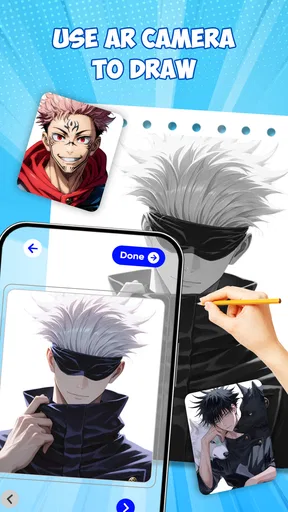
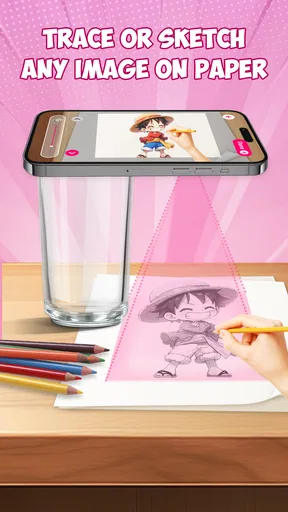
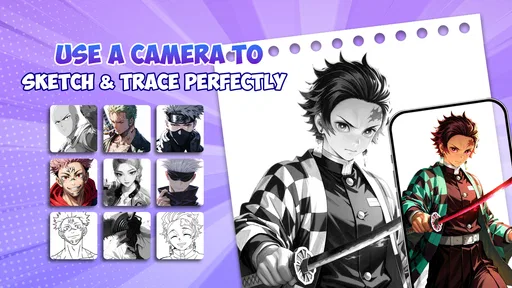
The standout feature here has to be the augmented reality (AR) drawing tool. Basically, it projects the template onto a surface in the real world, and you can trace it directly onto paper. It’s like having your own personal art instructor guiding your hand. If you’re a visual learner like me, this feature is a game-changer. It brings a whole new level of interaction that’s both fun and educational.
But that’s not all. The app also offers a variety of tutorials covering different styles and techniques. Whether you’re into traditional anime looks or something more modern, there’s a tutorial to suit your taste. Each guide is detailed, yet simple enough to follow, making it perfect for both newbies and seasoned artists wanting to refine their skills.
What It’s Like to Use Daily
Using the app daily has been a breeze. I’ve found myself consistently motivated to sketch because of the app’s ease of use and the satisfaction of seeing immediate results. The AR feature is something I didn’t know I needed until I tried it. And let’s not forget about the offline mode, which means you can practice your skills anywhere, anytime—whether you’re chilling at home or out and about.
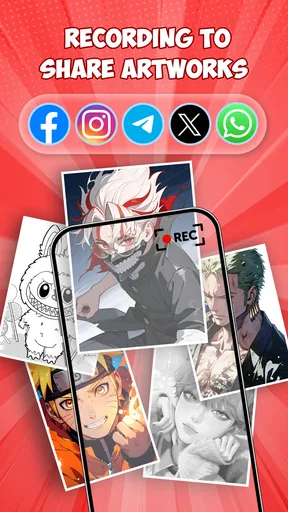
Plus, the community aspect of the app adds an extra layer of fun. You can share your creations, get feedback, and even join drawing challenges. It’s a great way to connect with other anime art lovers and learn from each other.
Final Thoughts
In conclusion, Draw Anime - AR Drawing Sketch is more than just an app; it’s a tool that can genuinely help you improve your drawing skills. It’s perfect for anyone from beginners to more advanced artists looking to explore new techniques. The AR functionality is innovative, the tutorials are comprehensive, and the community is welcoming.
If you’ve ever wanted to learn how to draw anime, this app is a fantastic starting point. Why wait? Dive into the world of anime drawing and let your creativity flow! 🎨✨
Making a short session count
A realistic way to use the app is to keep the task small. After school or work, choose one tutorial and focus on a single part of a character, such as the outline of the face or the placement of the eyes. With the reference visible, sketch lightly first; then put the guide aside and try to repeat the same feature from memory. This makes a brief session feel like practice rather than a race to finish a whole character.
Another useful habit is to keep a few attempts instead of judging yourself by the neatest one. A first tracing can show where your hand tends to drift, while a later freehand attempt reveals what you have actually learned. If the result looks uneven, that is still useful information: you can identify whether the difficulty was the curve, the spacing, or simply keeping the page steady. The app can provide a prompt, but your own comparison between attempts is what turns that prompt into a lesson.
Adapting the setup to your surroundings
The AR method is most appealing when there is a place to work without interruptions. At a kitchen table, for example, I’d clear a small area, use a sheet of paper that does not slide easily, and position the phone so the reference remains visible without forcing an uncomfortable reach. A parent drawing alongside a child can help keep the device stable and turn the exercise into a shared activity, while still letting the child do the actual tracing.
On a commute or in a waiting room, the practical choice may be different. The paper-and-phone arrangement can take more room and attention than a sketchbook, so a tutorial or a simple reference-based exercise may be easier to fit into the moment. The ability to practice offline is useful when a connection is not available, but it does not remove the need for a workable physical setup when using AR. I would decide where I plan to draw before relying on that mode for an outing.
Small workflow choices that improve practice
One trade-off worth thinking about is how much of the reference to follow. If every line is traced in one go, the drawing may look satisfying without helping you understand its structure. I’d pause at natural landmarks—where the eyes sit, how the jaw turns, or how a hair shape frames the face—and try to name what each line is doing. That turns a tracing session into observation, even if the app itself is not teaching formal anatomy.
It can also help to make the first attempt deliberately light and the second attempt more personal. Keep the guide for the broad silhouette, then change a small detail from memory, such as the direction of a fringe or the curve of an expression. That gives you a manageable creative choice without demanding that you design an entire character from scratch. For a beginner, this is a gentler bridge between copying and drawing independently.
The tutorials and the AR tool serve different needs. A tutorial is the better place to slow down and follow an explanation of a style or technique; AR is more directly useful when you want a visible shape to trace onto paper. I would not expect the two approaches to replace a teacher or structured drawing course. They can, however, make it easier to begin practicing at home, especially when the hardest part is choosing a first exercise.
When another drawing option makes more sense
If your main goal is to create finished digital illustrations, an app designed around a screen canvas will usually be more flexible. It is a better match for someone who wants to revise lines repeatedly, work with color, or build a complete digital piece. Conversely, a printed step-by-step guide or an ordinary sketchbook reference may be preferable if you want to avoid managing a phone while drawing. Draw Anime sits between those options: its distinctive appeal is the visual guide in a real drawing space, not a promise to cover every part of an artist’s workflow.
I would also skip it if you already feel confident drawing anime characters from reference and are looking for advanced critique or precise control over a digital finish. It is aimed more naturally at getting started and practicing than at replacing a mature studio setup. Someone who dislikes tracing should not feel obliged to use it just because AR is the headline idea; a standard reference image and independent sketching can be more satisfying for that person.
Who should try it, and what to expect
For someone wondering whether it costs anything to begin, the app is free, and its Everyone rating makes it suitable for a broad audience. The most useful question is less about age than about comfort with the method: do you enjoy following a visible outline, and can you arrange paper and a phone in a way that feels steady? If the answer is yes, it is a reasonable starting point for casual practice. If the answer is no, the tutorials or a non-AR reference may be a better route.
My inclusive verdict is that the app offers an approachable entry point for visual learners, but its convenience depends on the person and the setting. It can reduce the blank-page anxiety that keeps many beginners from trying anime drawing, while still leaving room to practice independently. The phone-and-paper setup, the reliance on tracing, and the need to shift attention between guide and pencil are real considerations, not minor details. I’d recommend giving it a try if you want guided paper sketching; I would choose a traditional digital art app or a simple printed reference instead when comfort, fine editing, or a screen-free routine matters more.
Pros
- Intuitive interface for beginners.
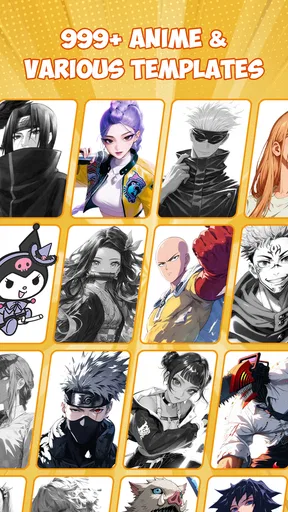
- Wide variety of anime templates.
- Offline mode available.
- Supports AR for real-time guidance.
- Regular updates with new features.
Cons
- Limited free version features.
- Ads can be intrusive.
- Occasional AR tracking issues.
- Requires a stable AR-compatible device.
- In-app purchases can be pricey.
FAQs for Draw Anime - AR Drawing Sketch
What is Draw Anime - AR Drawing Sketch?
Draw Anime - AR Drawing Sketch is an innovative app designed for both beginners and experienced artists who want to learn or enhance their anime drawing skills. It utilizes augmented reality (AR) to project drawing guides onto real-world surfaces, helping users create accurate and detailed sketches step-by-step.
How does the augmented reality feature work in this app?
The AR feature in Draw Anime - AR Drawing Sketch allows you to use your device's camera to overlay drawing templates onto any surface. This makes it easy to follow precise guidelines and draw directly over them, offering a hands-on and interactive learning experience that mimics traditional drawing methods with digital support.
Is Draw Anime - AR Drawing Sketch suitable for beginners?
Yes, the app is designed to cater to both beginners and experienced artists. It offers a wide range of tutorials and step-by-step guides that simplify complex drawings into easy-to-follow stages. Beginners can start with basic shapes and gradually progress to more detailed and intricate anime characters.
Does the app require any special equipment to use the AR features?
No special equipment is needed other than a smartphone or tablet with a functional camera. The app is optimized to work with standard mobile devices and does not require any additional AR glasses or accessories, making it accessible and convenient for all users.
Are there in-app purchases or subscriptions in Draw Anime - AR Drawing Sketch?
The app offers a variety of features for free, but there may also be in-app purchases or subscription options available. These could include access to premium tutorials, exclusive drawing templates, or ad-free experiences. It's advisable to check the app's store page for specific details on pricing and available purchases.


